Connect GitHub
Install a GitHub App so sessions get short-lived, scoped tokens and pull requests get reviewed.
GitHub is connected through a GitHub App, not OAuth. engrams mints a short-lived installation token for each session, clamped to the permissions that session’s profile grants, so no durable GitHub token ever sits in a sandbox. The same App delivers the webhooks that drive pull request review.
Create the App
Section titled “Create the App”Settings → Integrations → GitHub walks through four steps.
- Register the App. Either open GitHub’s new-app page and fill it in, or copy the
manifest from the panel and use GitHub’s “register from a manifest” flow. The manifest
names the App
engrams, points its webhook at<origin>/api/v1/integrations/github/events, and marks it private. - Grant repository permissions. The minimum is
metadata: read,contents: write, andpull_requests: write. The panel lists the optional permissions that enable more of the connector’s powers, derived from what the connector can do; a session can never do more than the App is granted. - Add the webhook. The payload URL is the events URL above. Subscribe to
pull_request,pull_request_review,pull_request_review_comment, andissue_comment. Set the webhook secret to the value your deployment configured as the org secretgithub.webhook_secret; the Helm value isforge.github.webhookSecret. - Install it and copy the credentials. Install the App on the organization or user that owns the repositories, generate a private key, and paste the numeric App ID and the downloaded key into the connect sheet.
The App ID and the key are stored as org secrets; the key is sealed and never returned.
What sessions get
Section titled “What sessions get”A profile grants GitHub powers, read or write, and each session receives a token minted for exactly those powers, valid for that session. The agent uses it to clone, push, and open pull requests. The token is not the App’s key and is not reusable elsewhere.
Review pull requests
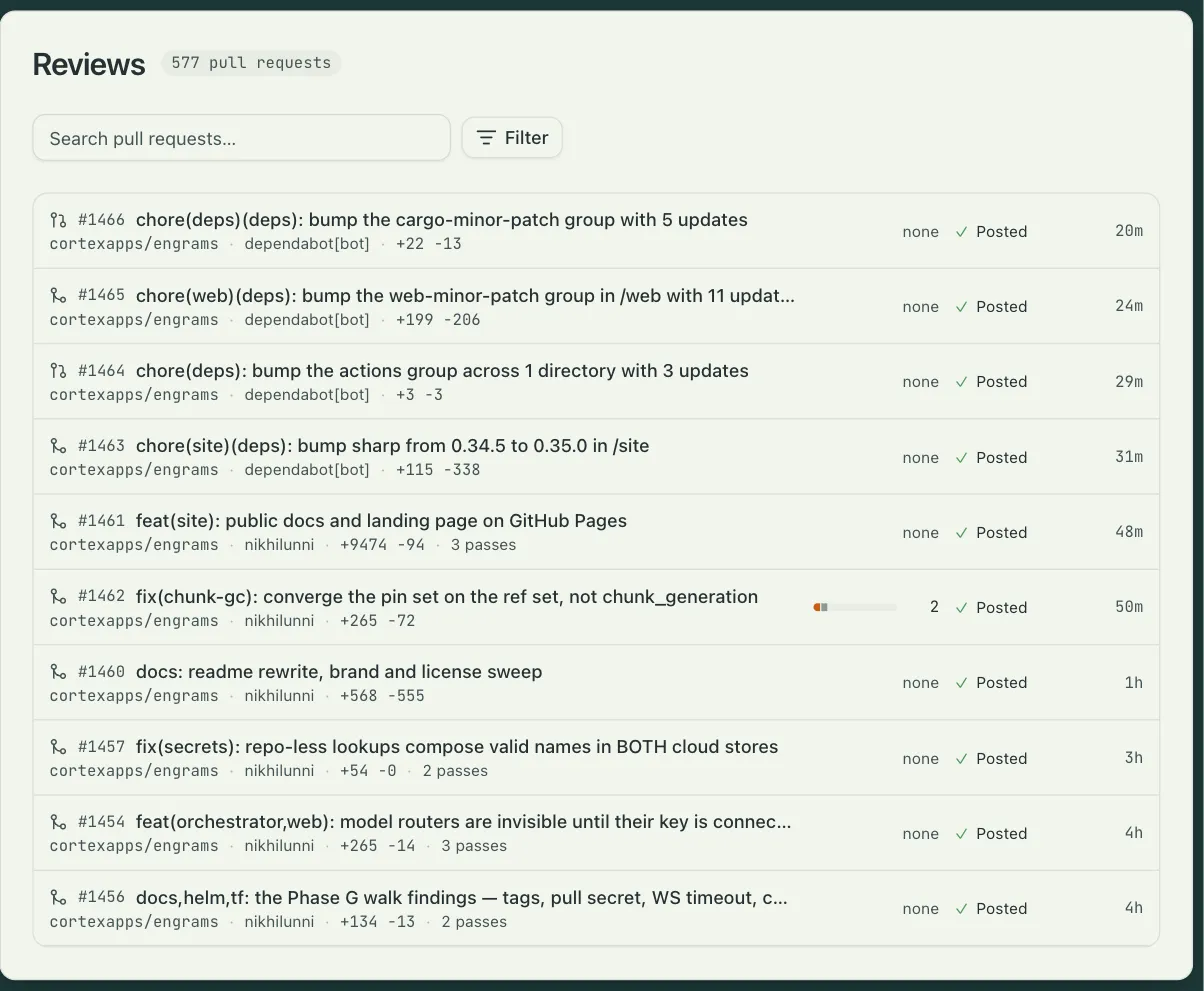
Section titled “Review pull requests”Pull request review is the built-in automation named PR review. It listens for pull requests on the repositories you list, runs a finder session and a verifier session on the reviewer profile, settles their findings, and posts them as one GitHub review with an acknowledgment comment that updates with the count. A new push cancels the review in flight and starts over.
To enroll a repository, open Settings → Automations → PR review → Inputs and add it to the
repos map with a mode:
| Mode | When a review runs |
|---|---|
auto |
On every pull request that opens, updates, or leaves draft. |
on_request |
When a repository owner, member, or collaborator comments @<handle> review. |
The handle defaults to the App’s own login. The other inputs are the reviewer profile, the review categories, and free-text instructions the reviewers read. The Reviews page lists every reviewed pull request with its findings and what was posted.
Personal GitHub credentials
Section titled “Personal GitHub credentials”A person can add a fine-grained personal access token under Settings → Credentials. A profile set to act as the launching person uses it instead of the App token, so commits and pull requests carry that person’s identity.