Images and harnesses
A session is a plain OCI image plus an agent runtime the host mounts at boot.
Images
Section titled “Images”A session image is a plain OCI image. You build it with docker build, push it with
docker push to any registry, and tell engrams about it once. There is no build tool, no
manifest format, and nothing of engrams inside the image. The contract is any Linux image
with /bin/sh.
my-repo/├── Dockerfile└── ... your codedocker build -t registry.example.com/team/api:warm-1 .docker push registry.example.com/team/api:warm-1Two requirements are worth stating. Use a glibc-based image: the bundled harness binaries do
not run on Alpine, and a session on a musl image never becomes active. And install what your
agent needs to work: git, curl, and the like are your workspace’s requirements, not the
platform’s, so they go in your Dockerfile.
/workspace is the working directory. engrams runs no git operations of its own; the
repositories a profile lists are cloned into it, and the agent takes it from there.
Enabling an image
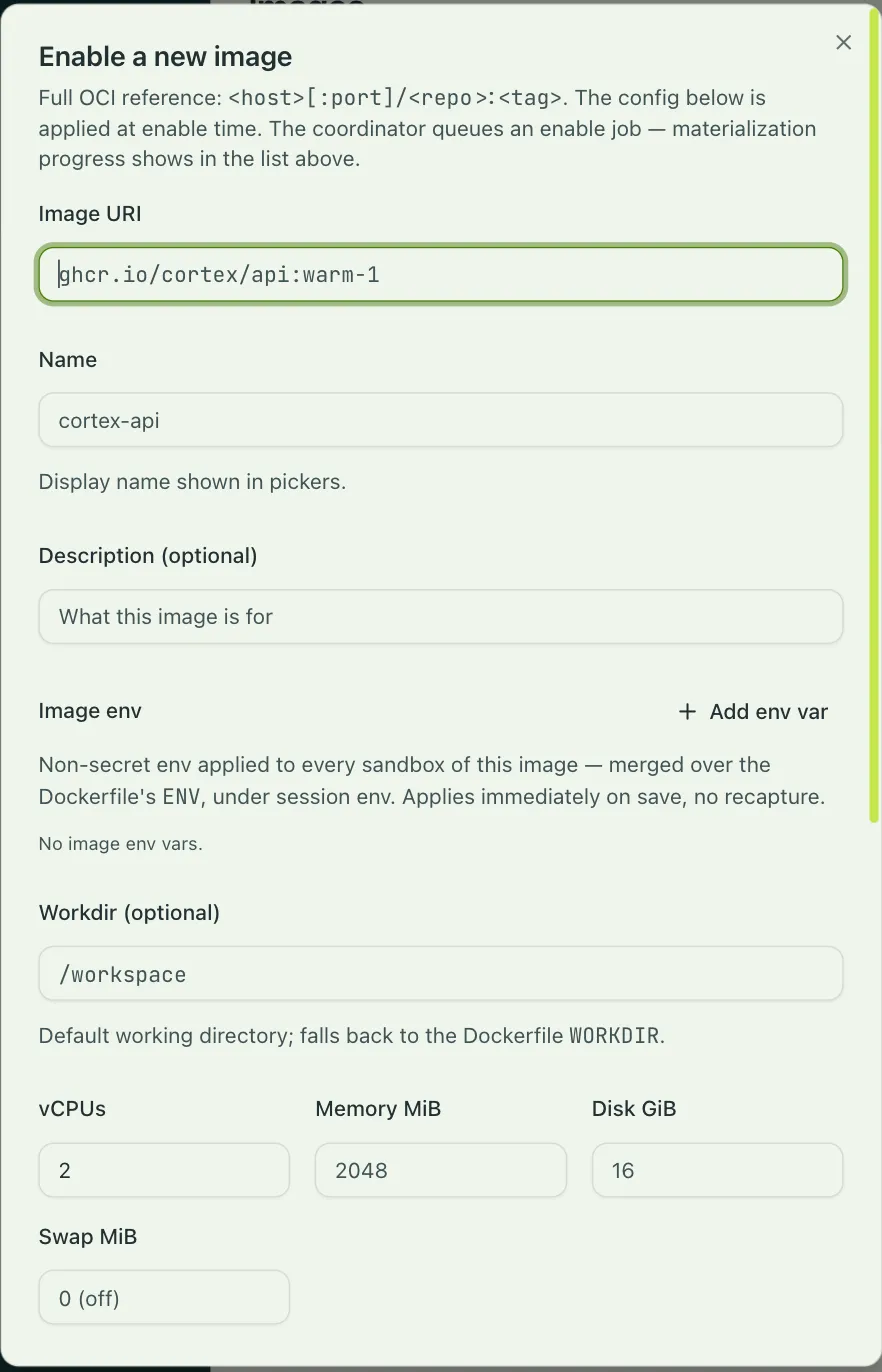
Section titled “Enabling an image”Settings that are not part of the image are entered when you enable it, under Settings → Images → Enable a new image: a display name, environment variables, a working directory, the VM’s size, and a warm hook. They describe what the image is. What a session may reach and what secrets it holds are session policy, set on the profile, so the same image serves a locked-down profile and a permissive one. engrams stores the settings, not the image, so a settings change is not a rebuild.
| Field | Meaning |
|---|---|
| Image URI | The full OCI reference, <host>[:port]/<repo>:<tag>. Fixed once enabled. |
| Name, Description | The display name in pickers, and free text. |
| Image env | Non-secret environment variables for every session of this image. The Dockerfile’s ENV is read at enable time and merged underneath, so a key here overrides the same key in the image, and a value the session supplies overrides both. |
| Workdir | The working directory for the harness and for engrams session exec. Defaults to the Dockerfile’s WORKDIR, then to /. The directory must exist in the image. |
| vCPUs | Required. Placement reserves it against a host’s CPU budget. |
| Memory MiB, Disk GiB, Swap MiB | The guest’s memory, the session’s disk budget, and an ephemeral swap device that is discarded at every snapshot. Swap of 0 means none; a good default is a quarter of memory, clamped between 1 GiB and 8 GiB. |
| Warm capture hook | A command run once at enable time, with its own timeout, working directory, capture-time environment, and network policy. See Authoring a warm hook. |
The CLI covers the fields a script needs. The warm hook is set in the dashboard.
engrams image enable --uri registry.example.com/team/api:warm-1 --name team-api --vcpus 2 --memory-mib 4096Enabling is the expensive step. engrams pulls the image, writes it as chunks into the blob
store, boots a capture VM on the fleet, runs the warm hook, and freezes the result as the
image’s base snapshot. Sessions boot from that snapshot in under a second, with whatever the
warm hook left running still running. The Images page shows the capture as it happens, and
so does engrams image jobs.
Cheap fields, like the name and environment, take effect on the next session. Changing the
resources or the warm hook means a new capture, so the dialog asks you to confirm, and
engrams image update asks for --allow-recapture. Sessions keep working against the old
snapshot until the new one is ready.
Harnesses
Section titled “Harnesses”A harness is the agent runtime inside the VM. It is a read-only bundle that each host stages and mounts into the VM at boot, alongside the in-guest daemon and the skills. Your image never contains it, so a new agent version rolls out to the whole fleet without a rebuild, and one image can run under different harnesses.
Two harnesses ship, and Settings → Harnesses shows them with their models, effort levels, and credential status. Bring your own harness is the contract for registering a third.
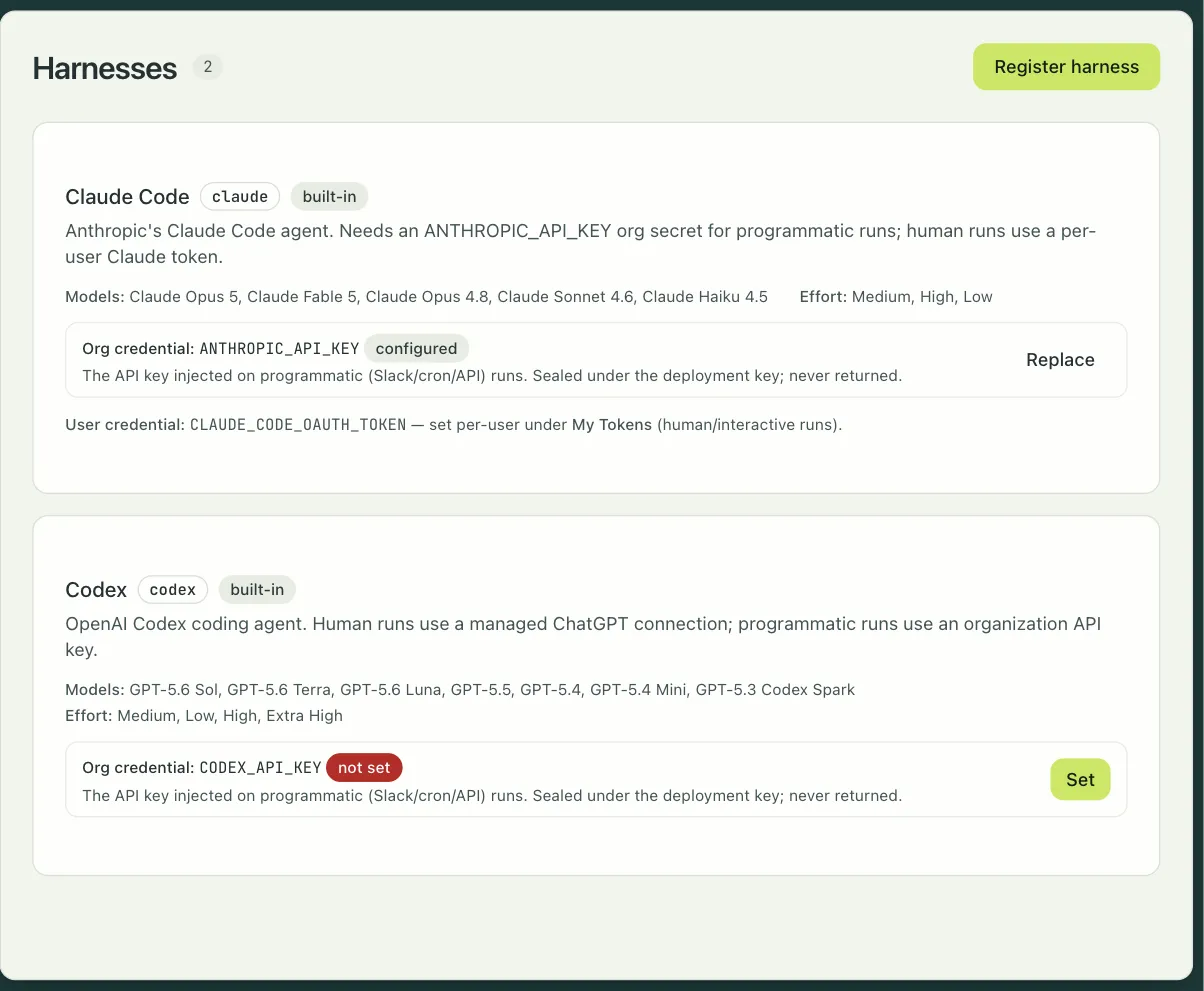
Claude Code runs Anthropic’s agent. It offers the Opus, Sonnet, and Haiku models, a Build
mode and a Plan mode, and three effort levels that map to the agent’s thinking budget. For
sessions a person starts, it uses that person’s Claude Code token, which you paste into
Settings once (claude setup-token prints it). For sessions started by Slack, cron, or the
API, it uses an org secret named ANTHROPIC_API_KEY.
Codex runs OpenAI’s agent. It offers the GPT-5 family, the same Build and Plan modes, and
four effort levels. Personal sessions use a ChatGPT connection made in Settings, which the
harness refreshes from inside the VM; programmatic sessions use an org secret named
CODEX_API_KEY.
Either harness can be pointed at a model router instead of the provider’s own API. OpenRouter is built in; an admin connects it under Settings → Model routers, and its models appear in the picker.
A harness declares which hosts it must reach, and the egress proxy allows exactly those plus whatever the profile allows. Harness credentials sit one layer above the image: they are resolved when the session is created and injected into the harness’s environment, never written into the image or the snapshot.